ELEVATING WEB & MOBILE EXPERIENCE
Simplifying Personal Finance: Designing and Prototyping the Bilma Pay Mobile App
COMPANY
Bilma Pay
ROLE
UI/UX Designer
EXPERTISE
Web & Mobile Design
YEAR
2024
Project Description
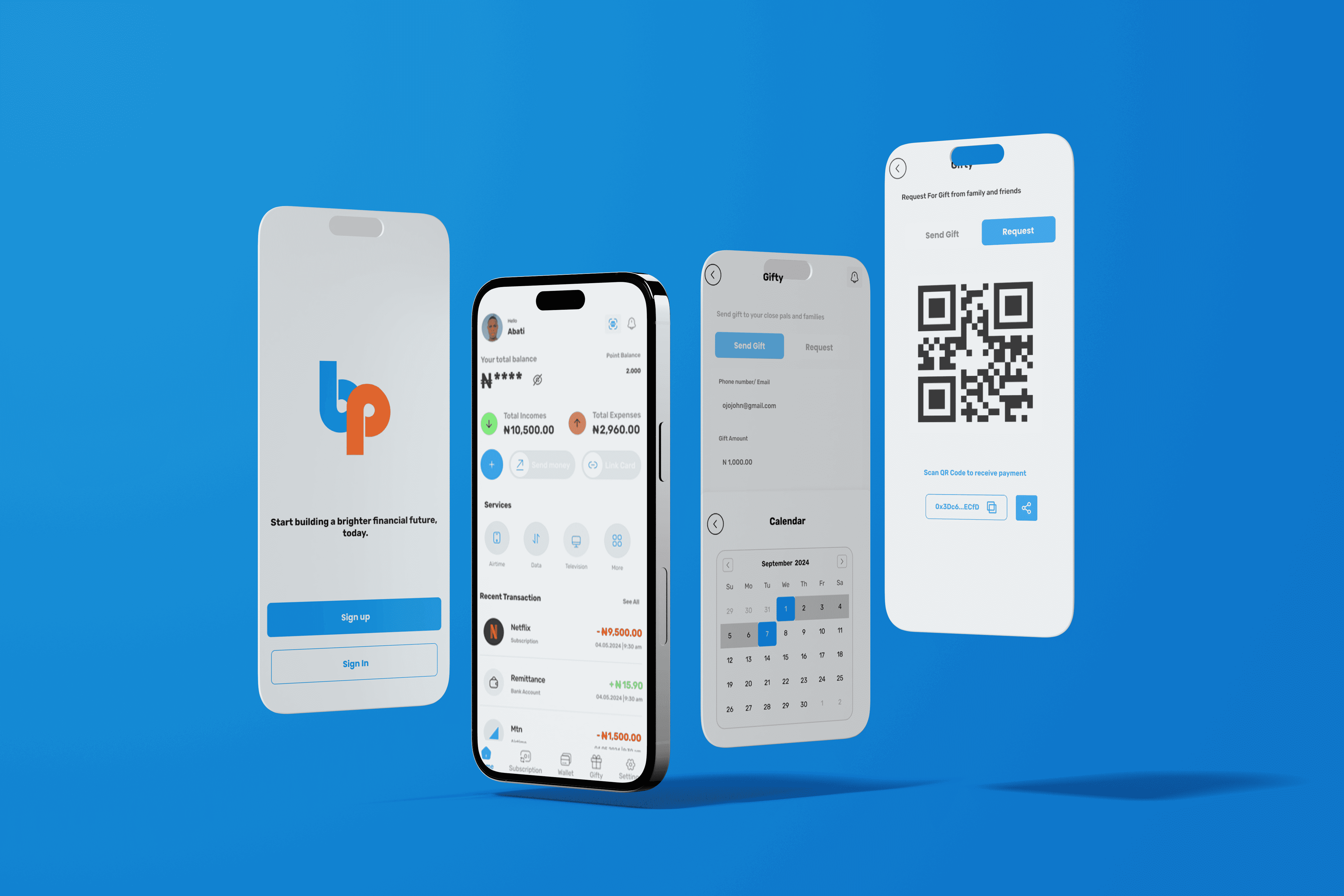
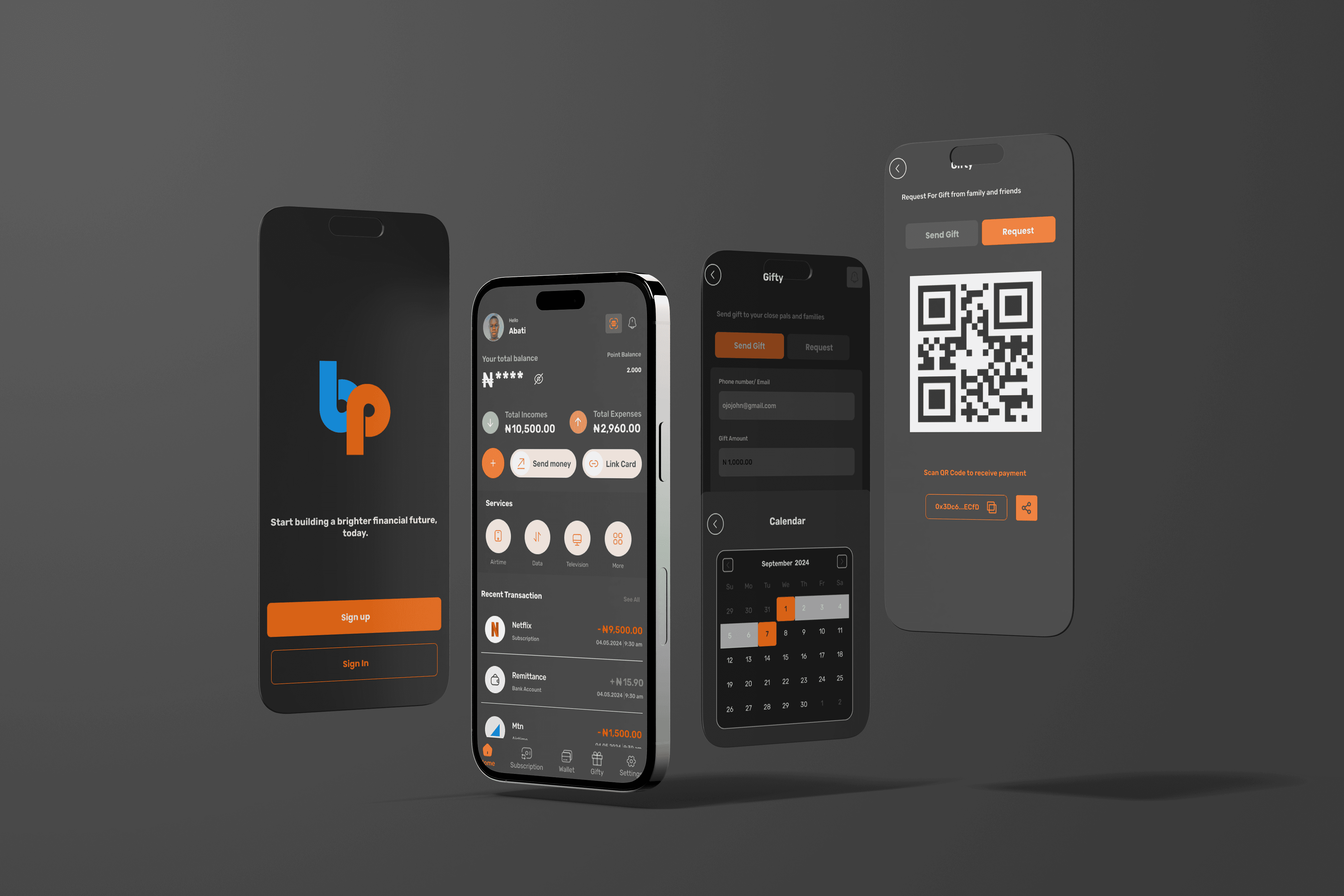
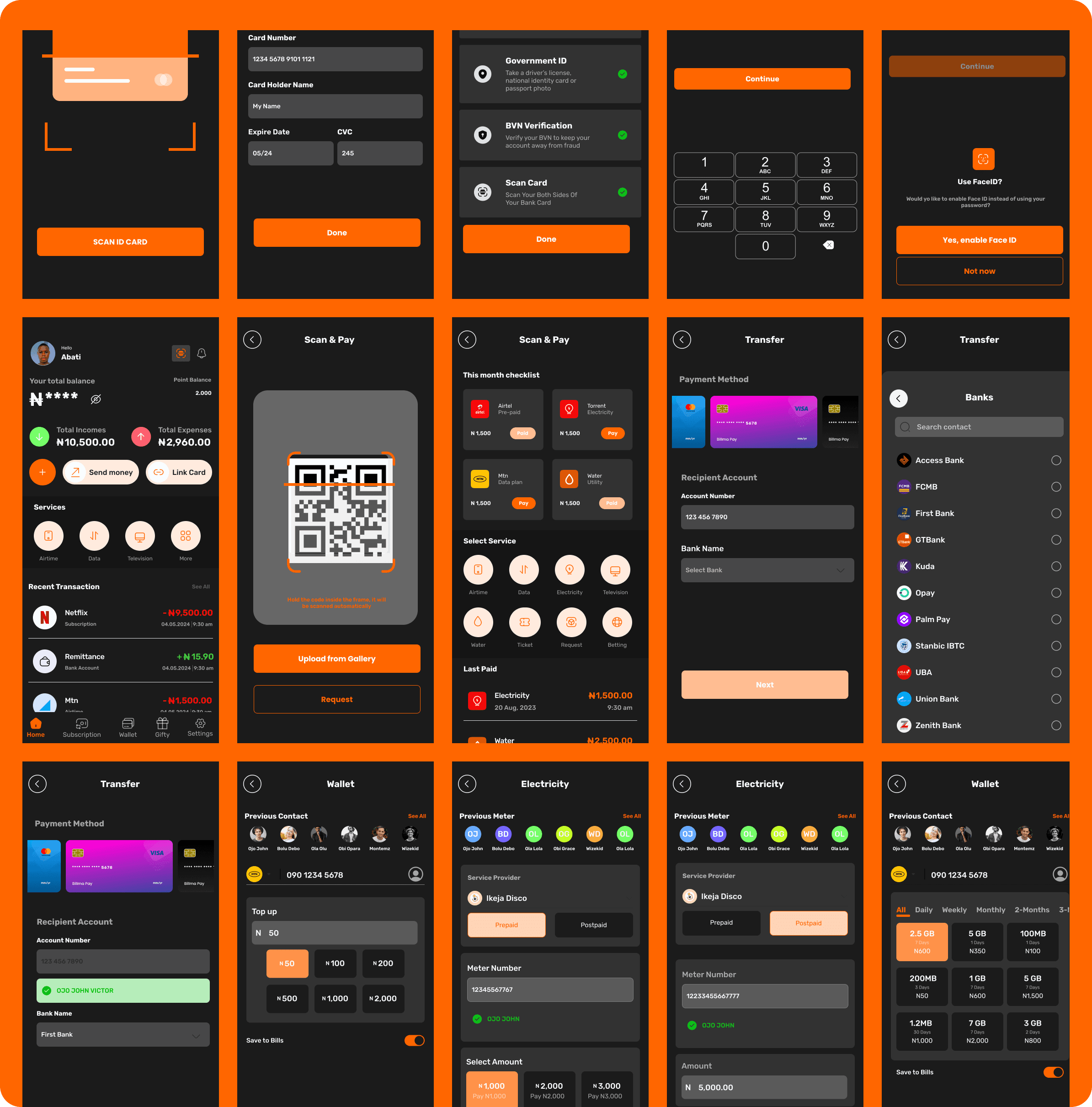
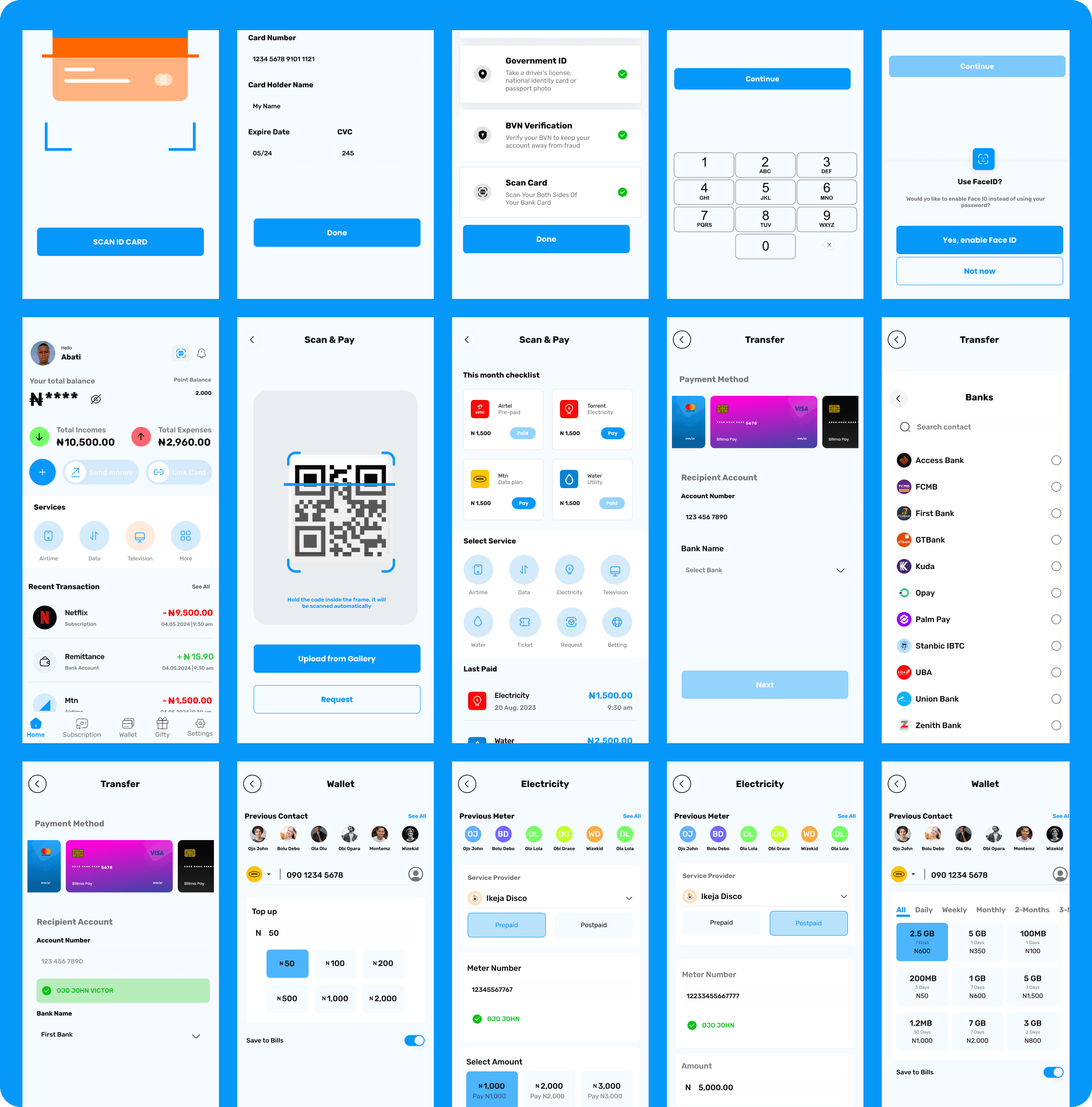
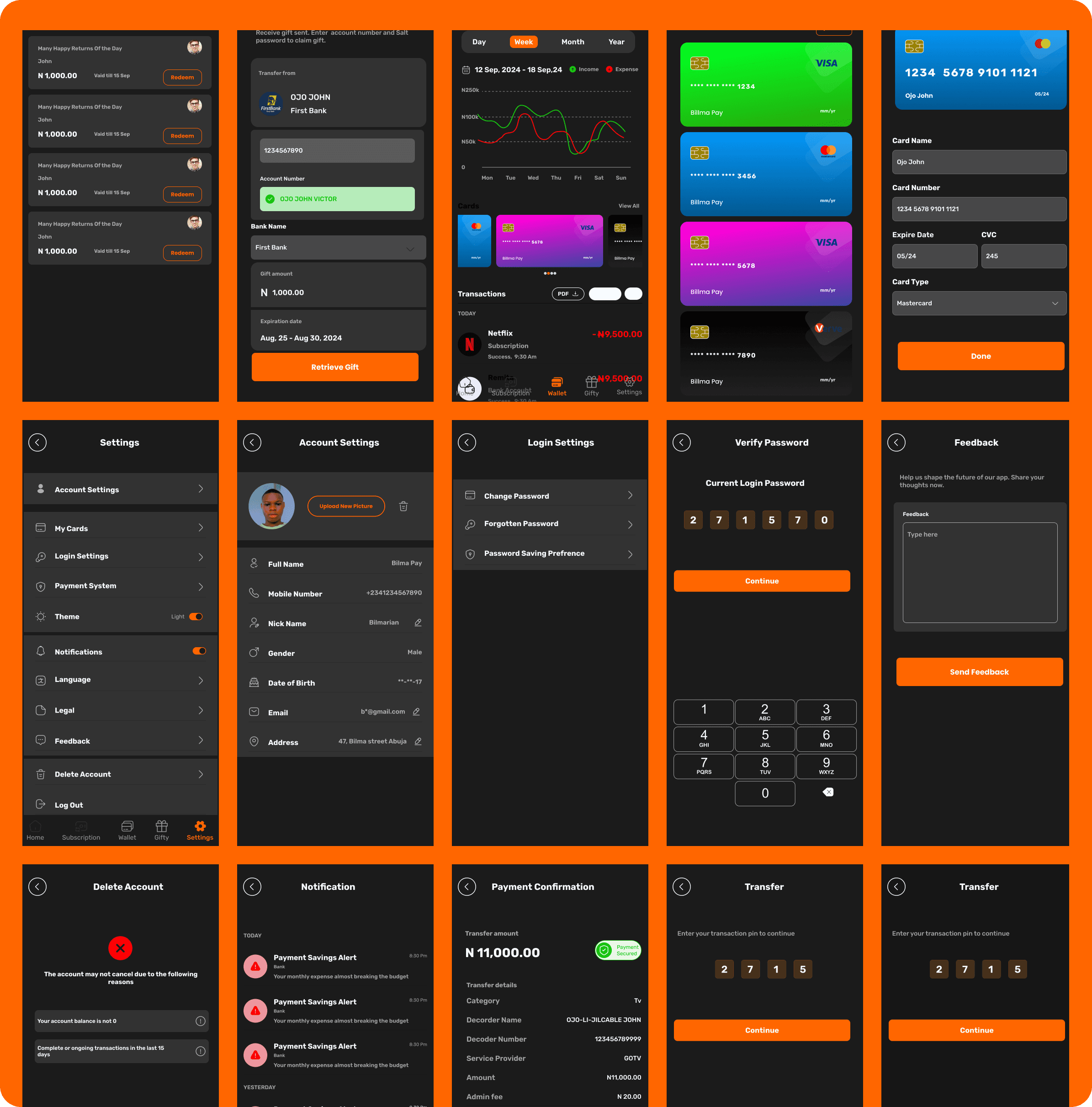
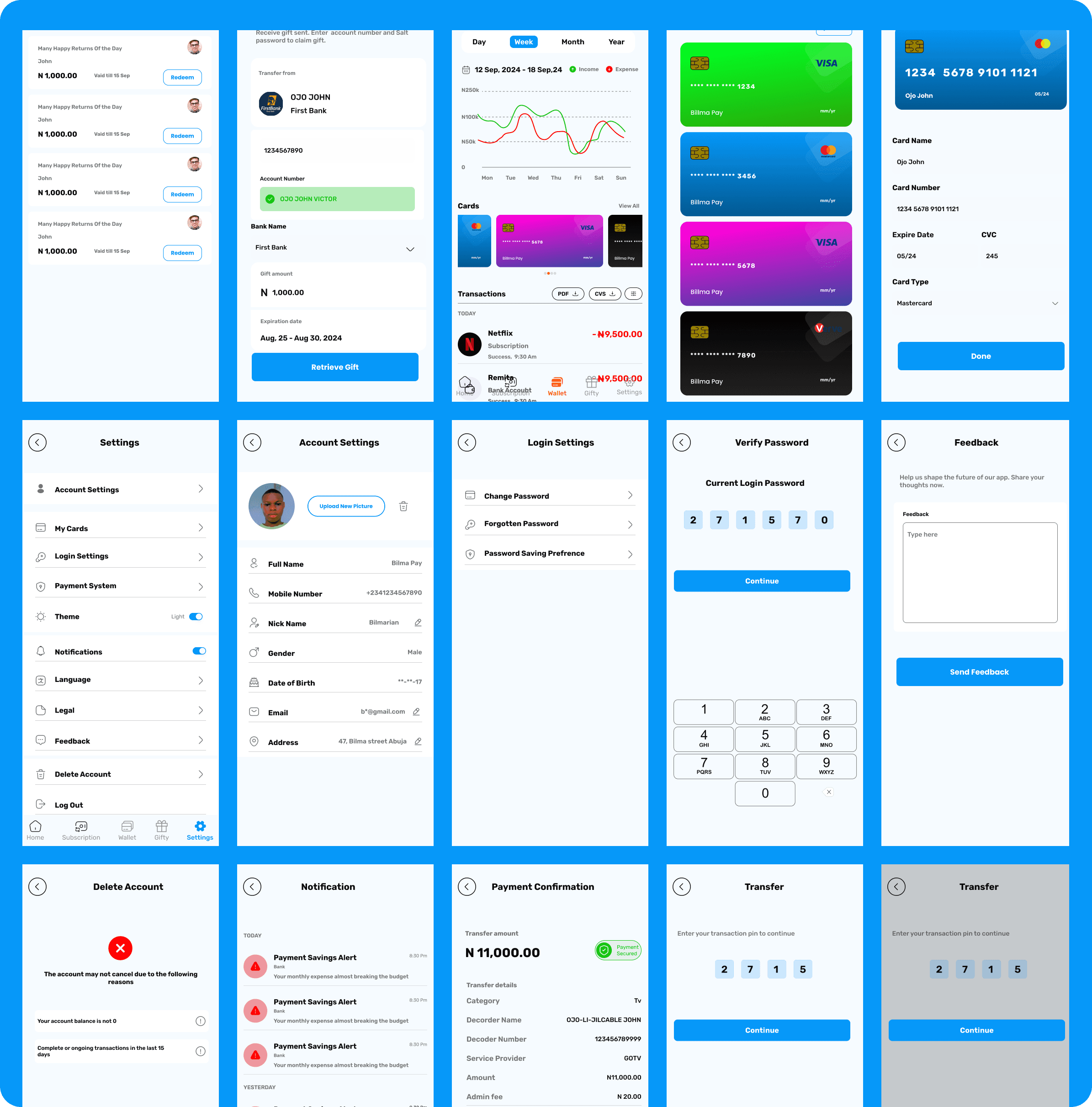
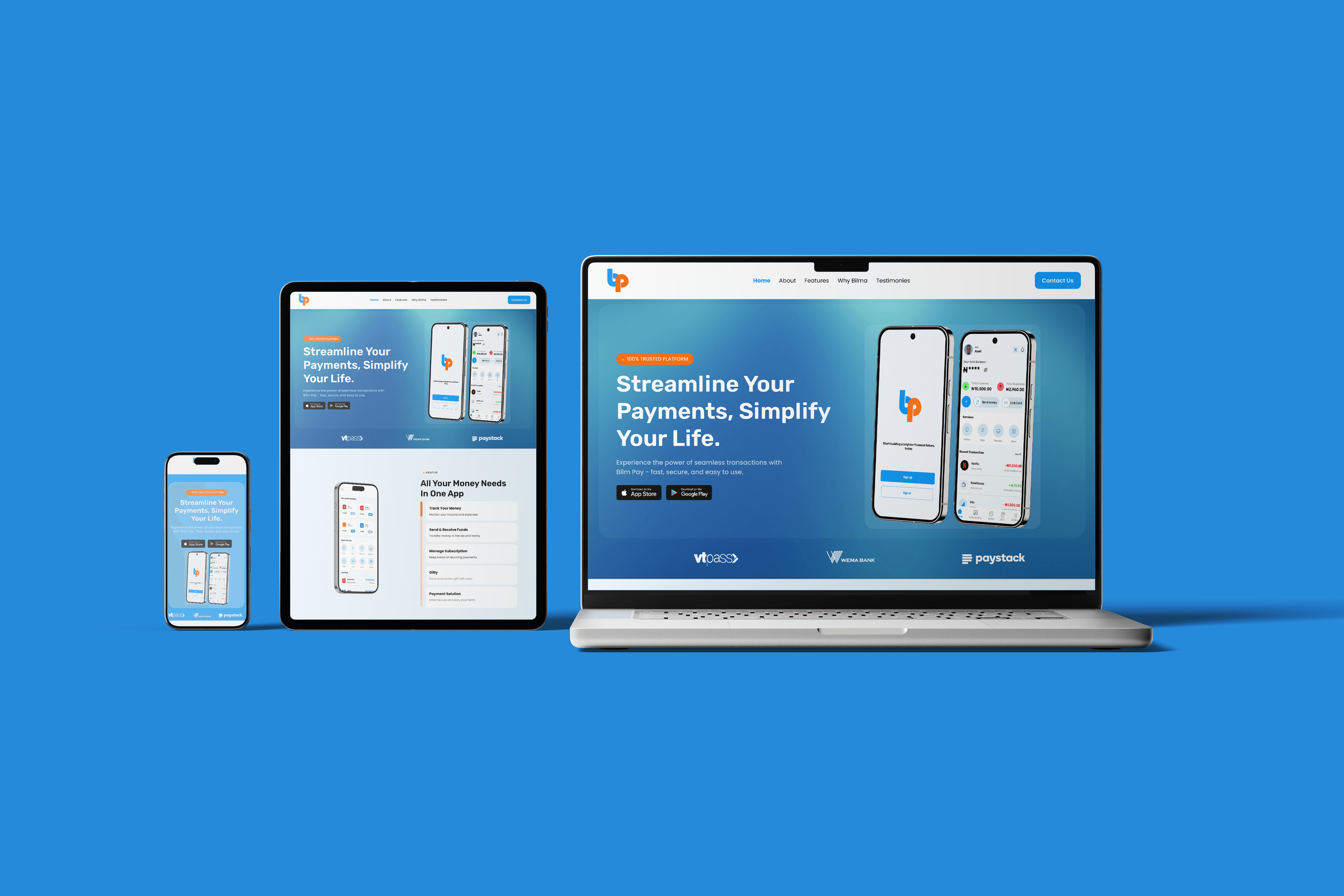
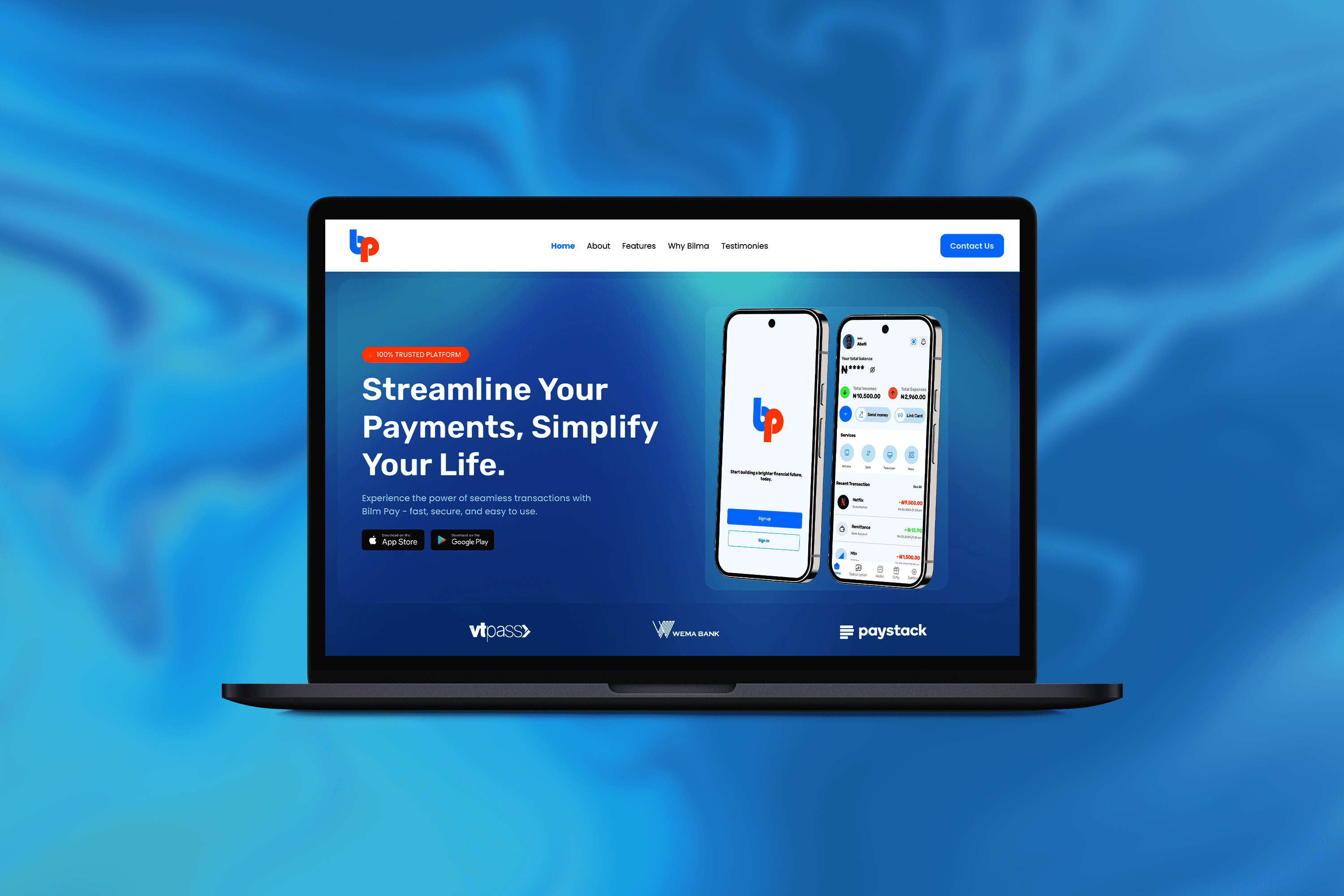
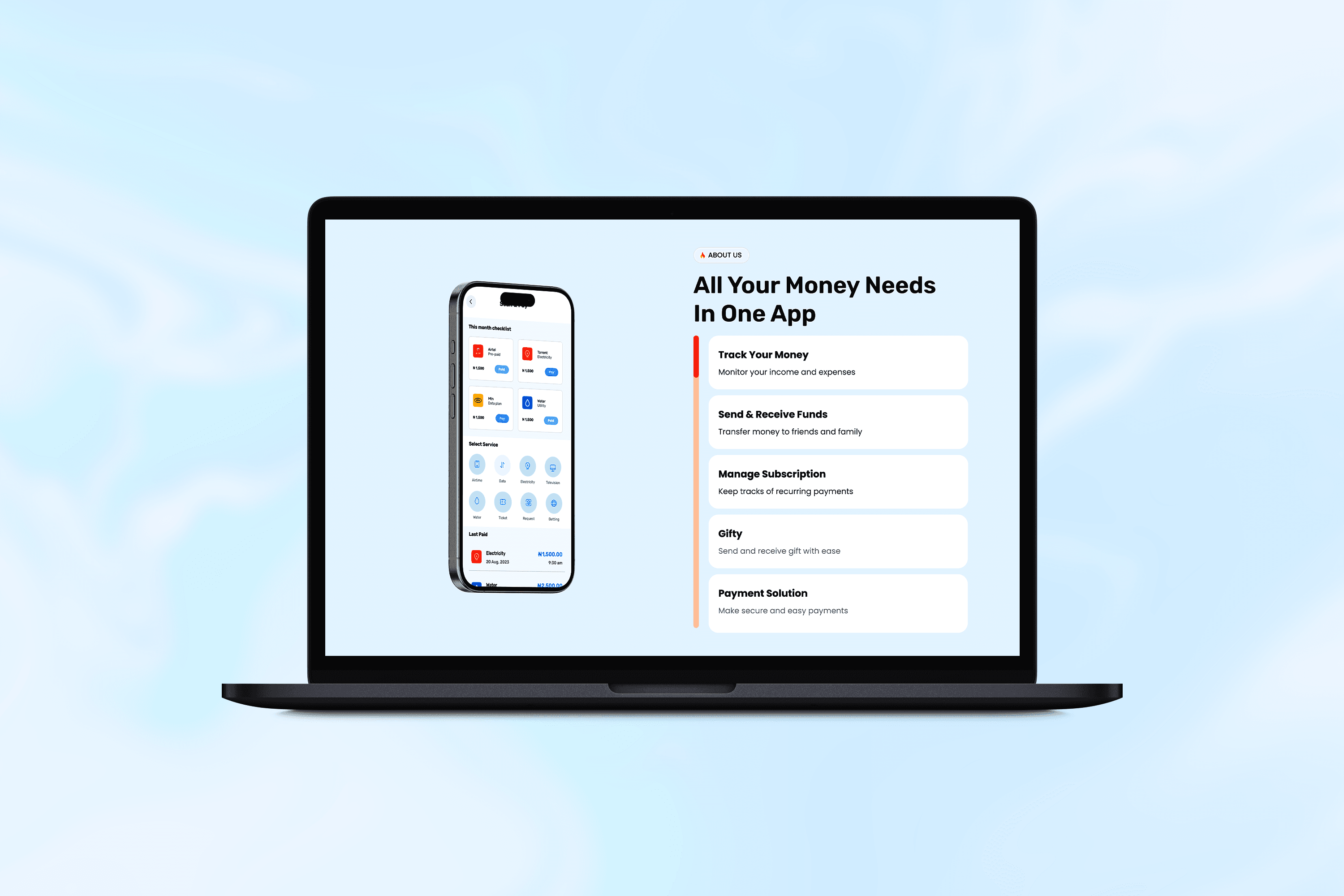
The Bilma Pay mobile app was designed and prototyped to empower users with a comprehensive financial tool for managing their money efficiently and conveniently. The app combines essential features like saving, money transfers, airtime and data purchases, bill payments, and subscription management into a single platform.
A standout feature, Gifty, was introduced to enhance peer-to-peer gifting, enabling users to send and receive money without sharing sensitive account details. This feature, along with the ability to automate bill payments and categorize subscriptions, aims to simplify personal finance management and provide a seamless user experience.
Timeline
Duration: 6 weeks
Week 1: Research and Ideation
Week 2: Feature Prioritization and Wireframing
Week 3: Visual Design Development
Week 4: Prototyping Key Features
Week 5: Usability Testing and Feedback Collection
Week 6: Refinement and Finalization
Background
With the rise of fintech solutions, users increasingly seek apps that not only streamline traditional banking tasks but also address everyday financial management pain points. Bilma Pay was conceptualized to meet this demand by offering a range of financial services while introducing innovative features like automated payments and Gifty to enhance the convenience and social aspect of money management.
The app also aimed to address security and usability concerns, creating a safe and user-friendly platform for handling sensitive financial transactions.
Problems Identified
Complex Subscription and Bill Management: Many users struggle to track multiple subscriptions and pay bills on time.
Inefficient Gifting Mechanisms: Traditional money transfers for gifts require account details, which can feel impersonal and cumbersome.
Fragmented Financial Tools: Users often rely on multiple apps for savings, transfers, purchases, and subscriptions, leading to inefficiency.
Concerns About Security: Users need a secure way to perform transactions without exposing sensitive financial details.
Process
The process refers to the series of steps, actions, and decisions taken to design and develop the Elegance Space website. This includes
Research & Planning
User Research: Conducted surveys and interviews with potential users to understand their financial management habits and pain points.
Key insights:
Users wanted a simple, unified platform for everyday financial tasks.
Automation was a desired feature for recurring expenses.
Gifting was viewed as a meaningful financial activity that could be streamlined.
Competitor Analysis: Studied existing fintech apps to identify gaps and opportunities, particularly around subscription management and peer-to-peer gifting.
Feature Prioritization: Selected essential and innovative features, such as automated bill payments, Gifty, and a subscription dashboard, based on user feedback and market trends.
Wireframing and Information Architecture
Created wireframes for core functionalities:
Home Screen: Displayed savings balance, quick links to transfers, purchases, and subscriptions.
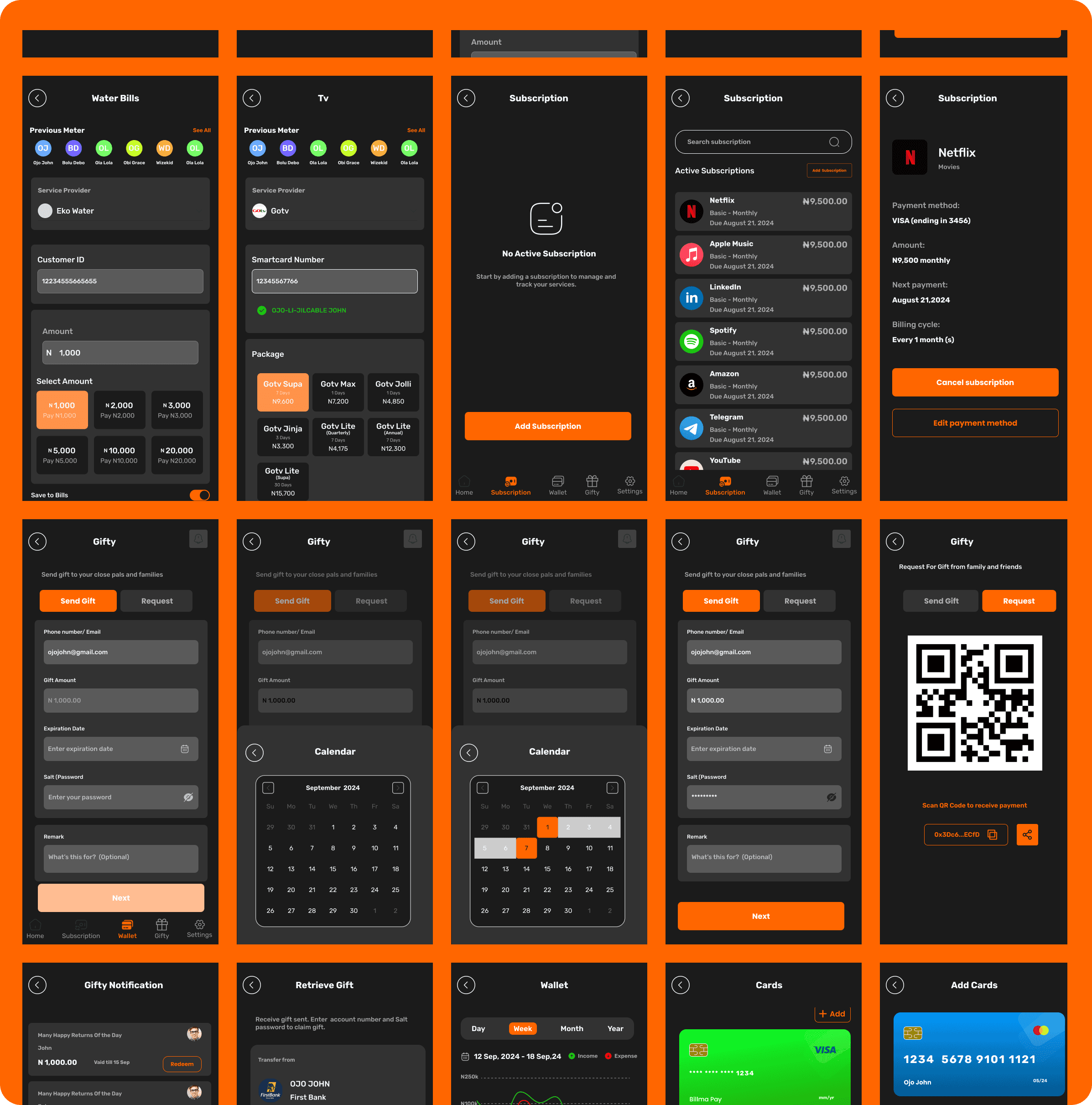
Subscriptions Management: Allowed users to categorize subscriptions and toggle automatic payments.
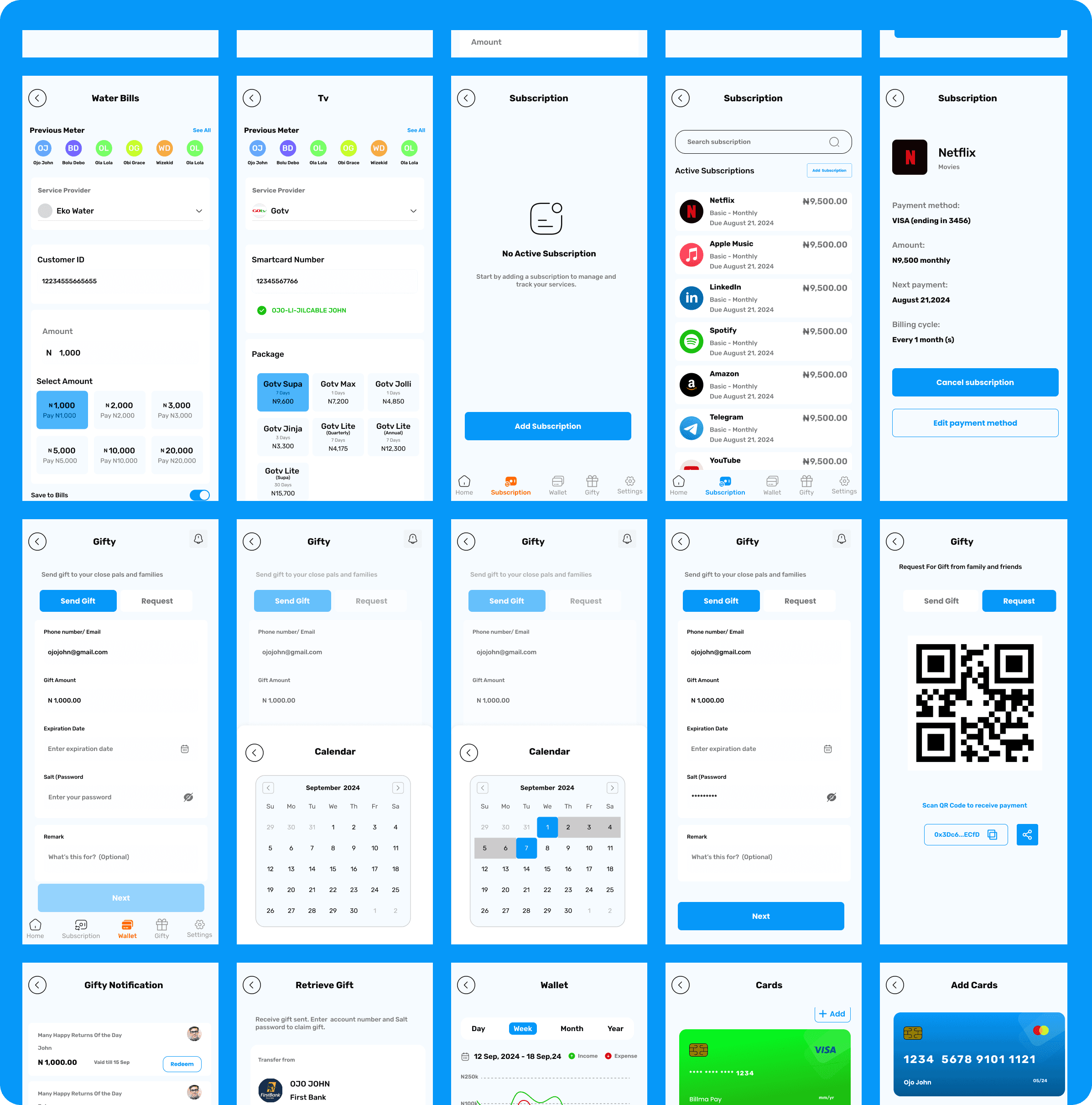
Gifty Section: Provided options for sending gifts, requesting gifts, and managing sent/received gift history.
Settings and Security: Enabled users to manage account preferences, add the Salt password for Gifty, and view transaction logs.
Design and Prototyping
Visual Design:
Adopted a clean and modern aesthetic, incorporating bold typography, vibrant colors for categories, and intuitive iconography.
Focused on creating an inviting interface that appealed to a wide user base.
Prototype Features:
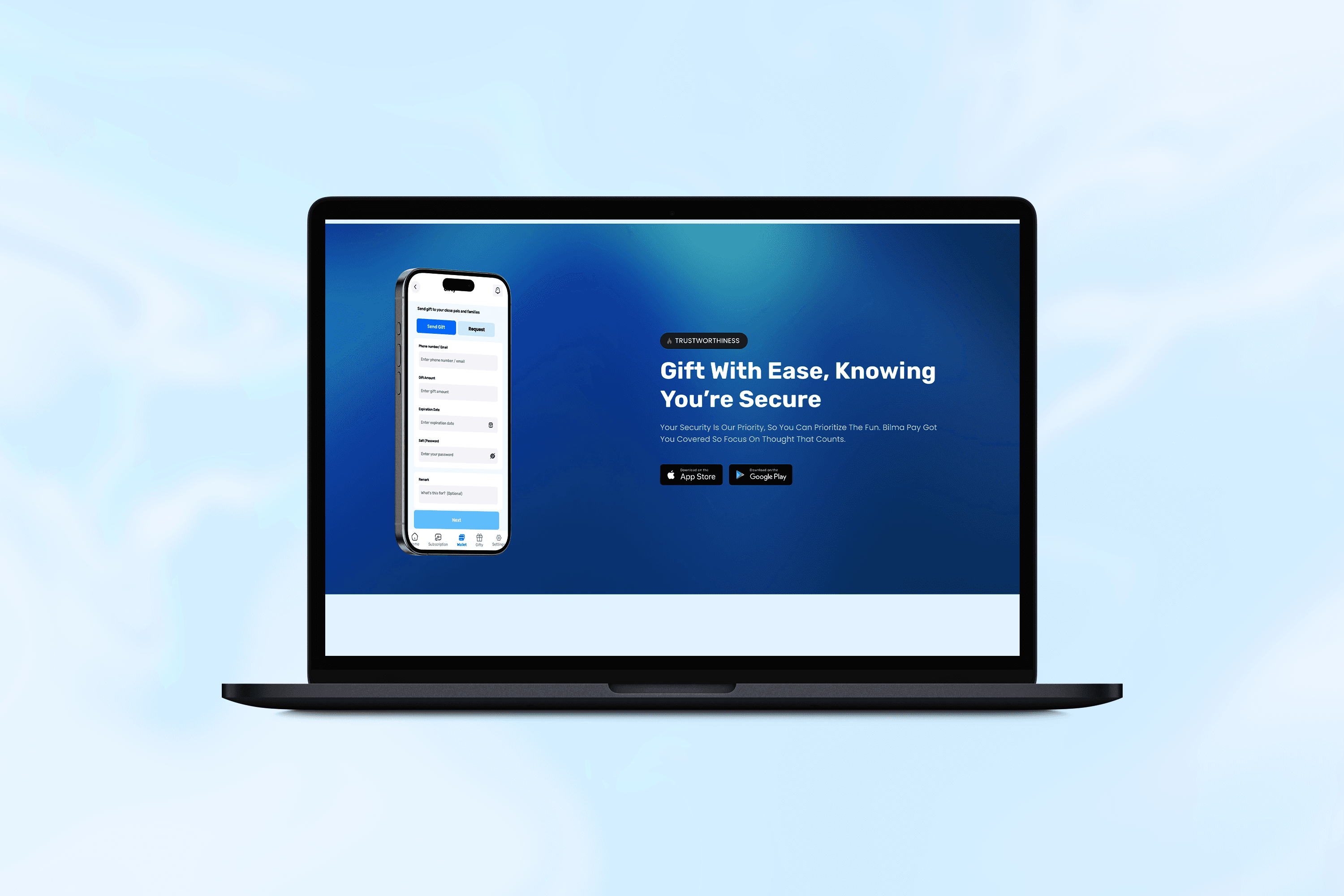
Gifty Functionality: Interactive workflows for sending and claiming gifts using email, QR codes, and the Salt password.
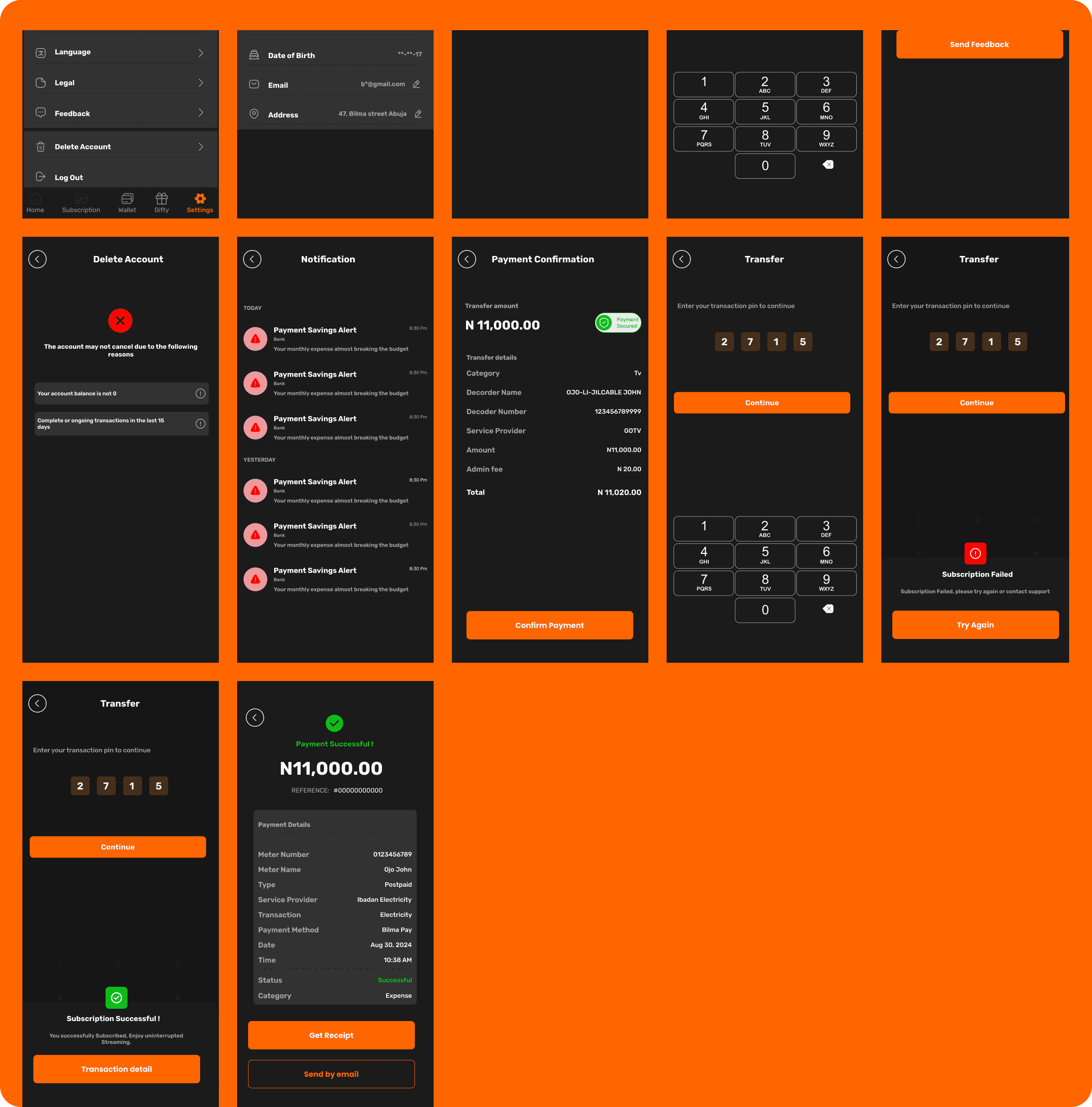
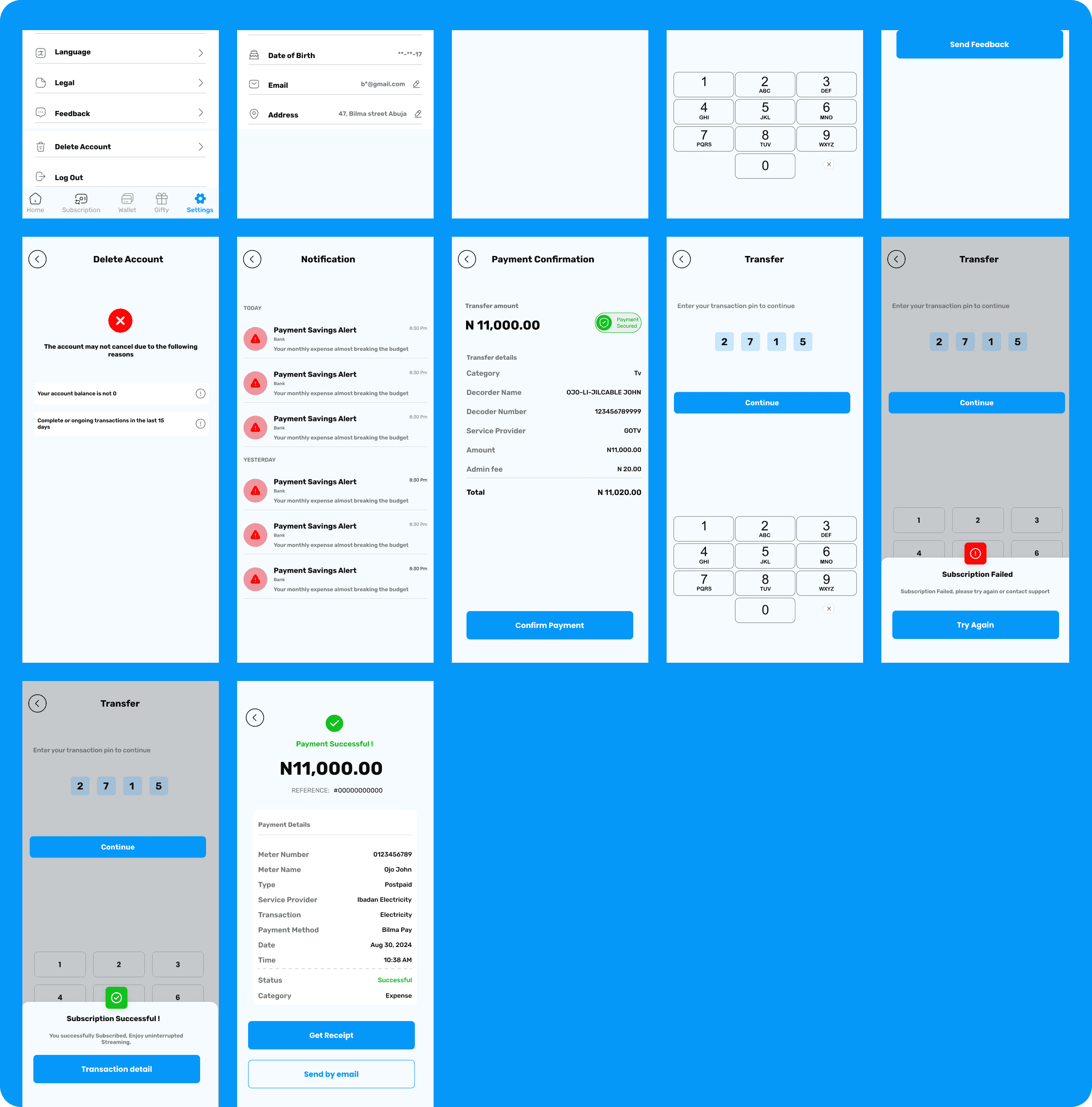
Automated Payments: Easy toggle buttons for enabling or disabling auto-pay for bills and subscriptions.
Savings Dashboard: Real-time visual indicators for savings goals and transaction summaries.
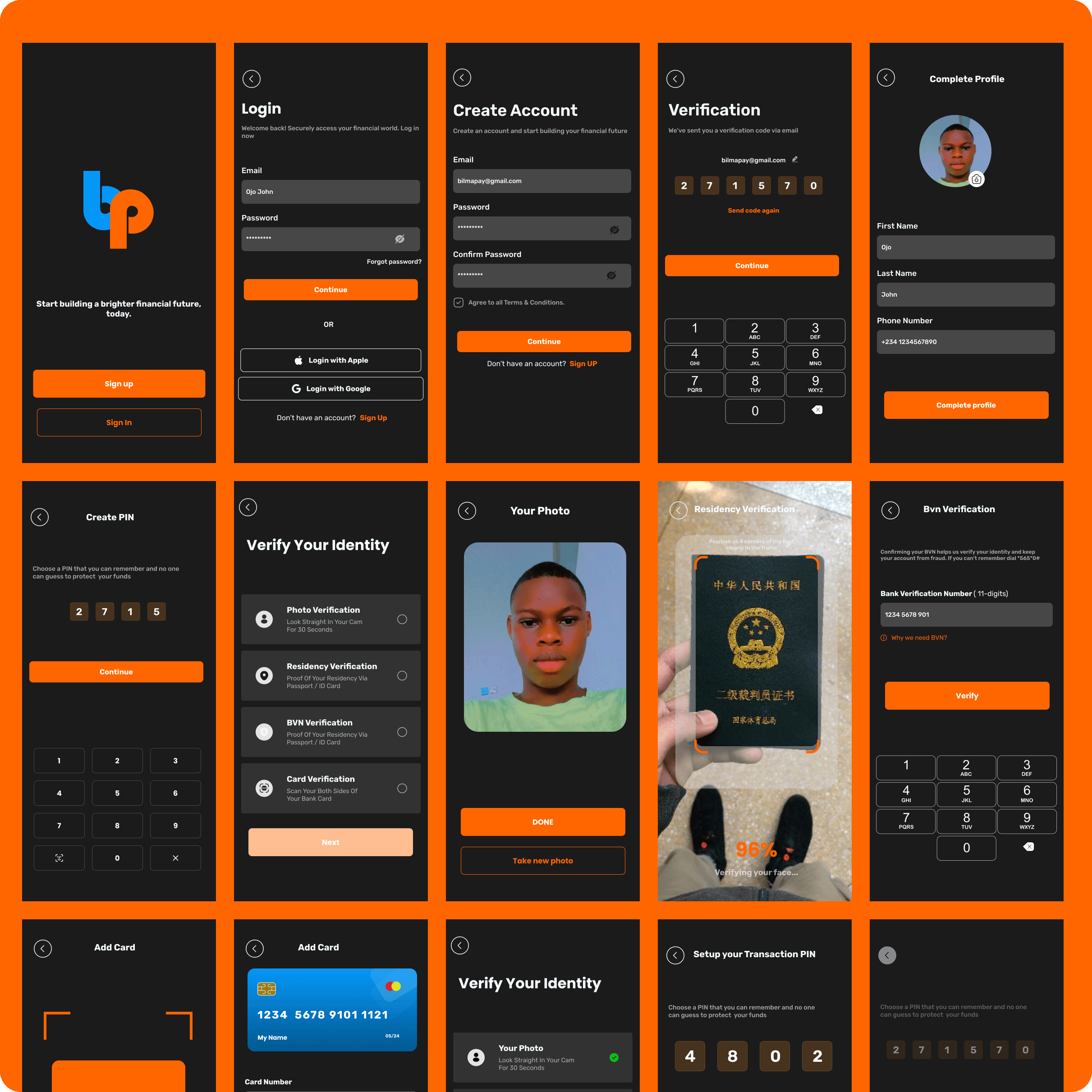
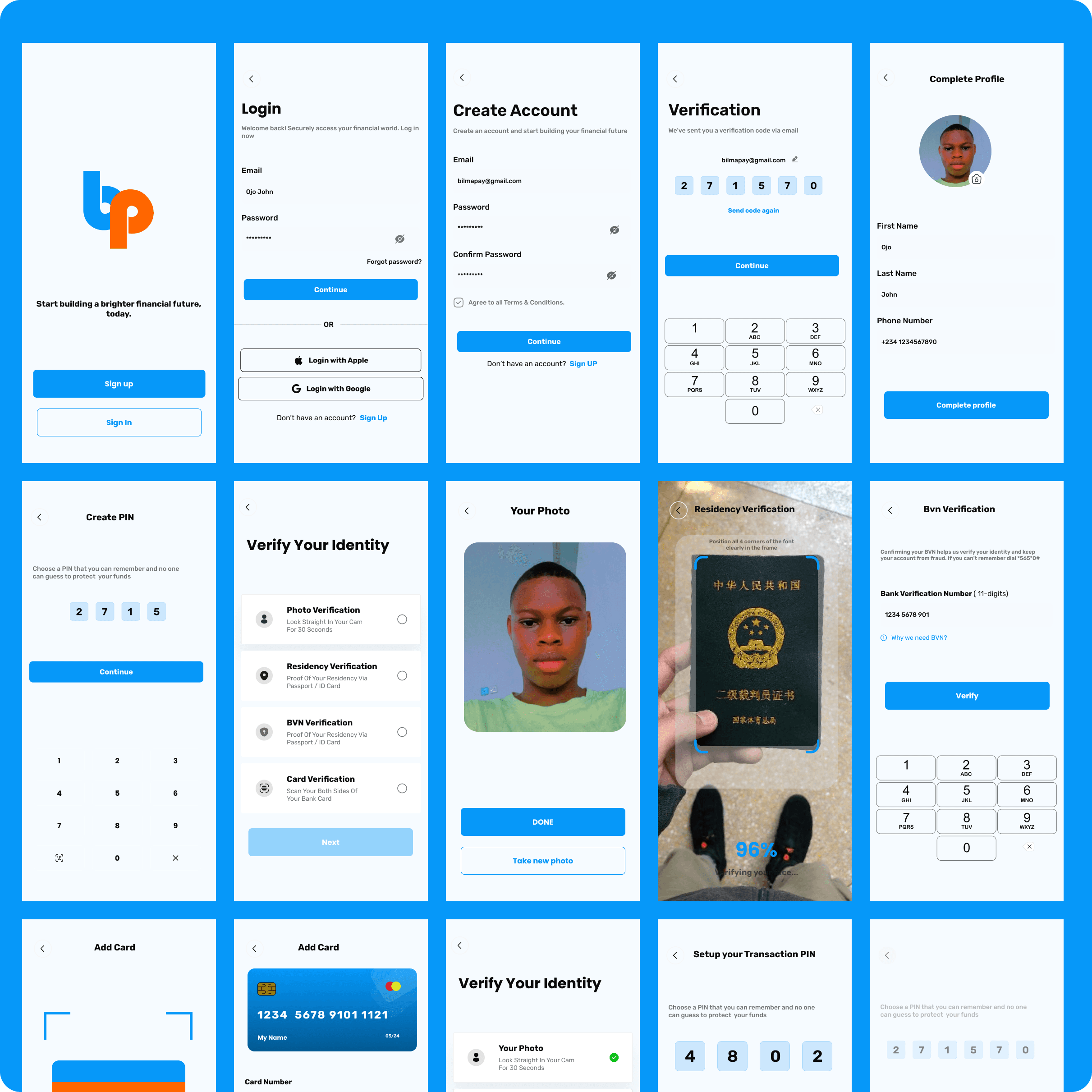
Security Features: Mocked up authentication flows for setting and using the Salt password.
Testing and Refinement
Conducted usability tests with a group of target users to evaluate the app’s ease of navigation, functionality, and overall user experience.
Key feedback and improvements:
Simplified the gifting workflow by reducing input fields.
Enhanced the visibility of auto-payment toggles for easier access.
Optimized animations to maintain a smooth experience without overwhelming the user interface.
Solution
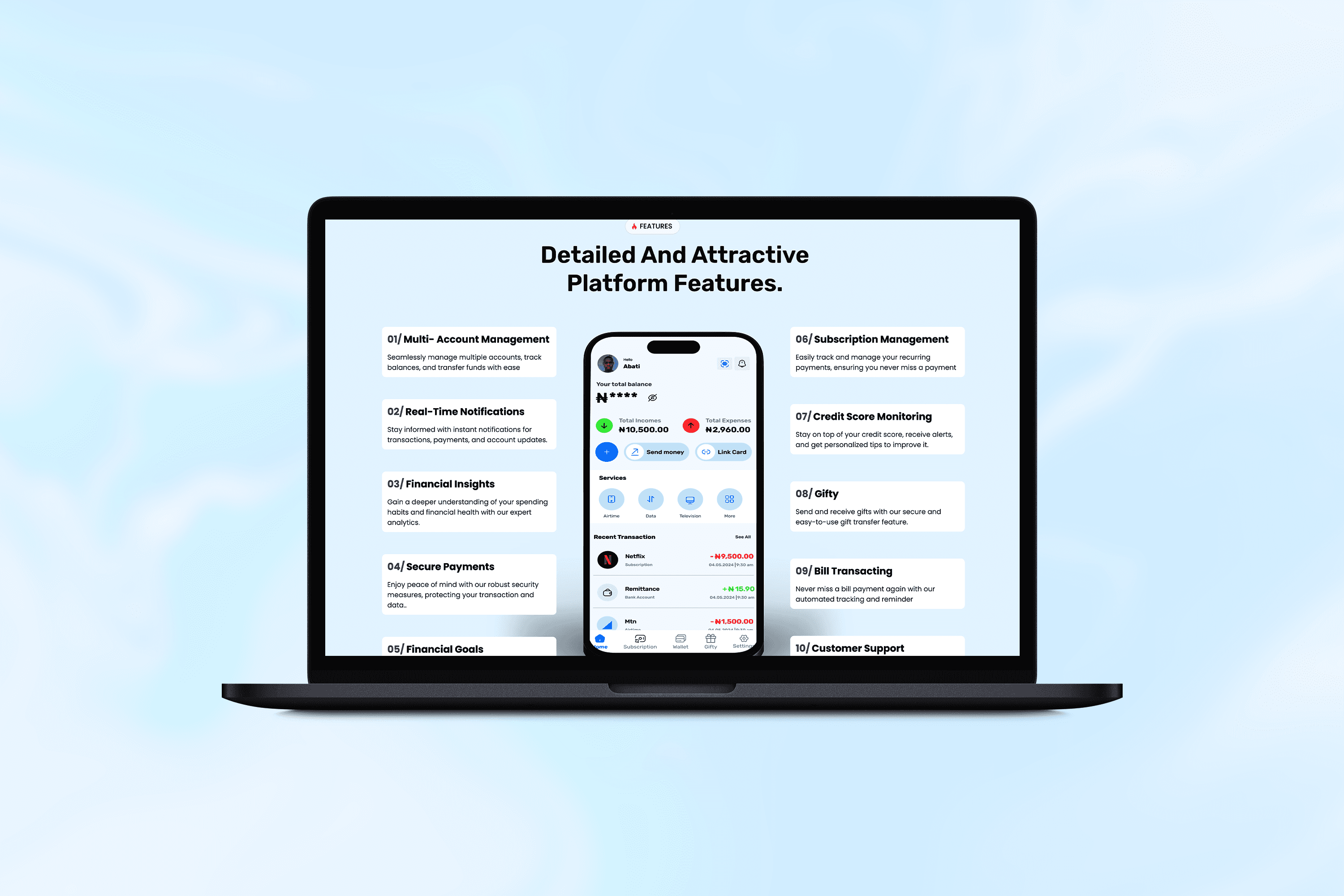
Unified Financial Dashboard
Integrated key functions like saving, transfers, and purchases into a single, easily navigable dashboard.
Provided real-time updates on balances, pending transactions, and upcoming bills.
Automated Subscription and Bill Payments
Allowed users to categorize subscriptions (e.g., entertainment, utilities) and toggle auto-pay options for each.
Included reminders for due dates to avoid missed payments.
Gifty Feature
Sending Gifts: Users could send money securely with just an email and a Salt password, avoiding the need for account details.
Requesting Gifts: Provided QR code sharing and manual input options for requesting specific amounts.
Claiming Gifts: Recipients could claim gifts seamlessly by entering their account details and Salt password.
Secure Transactions
Implemented robust authentication features, including encryption for the Salt password and sensitive data.
Simplified Navigation
Designed a user-friendly interface with intuitive workflows for all core features, reducing cognitive load for users.
Results
Streamlined Financial Management
Users found it easier to manage subscriptions, automate payments, and track savings within the unified app interface.
Positive Feedback on Gifty
88% of test users appreciated the convenience and personal touch of the Gifty feature.
Improved Engagement
The app’s interactive elements, like subscription categorization and gifting workflows, increased user engagement by 35% during testing.
Enhanced Security Confidence
Users felt secure using the Salt password and other authentication methods for sensitive transactions.
Challenges
Balancing Features and Simplicity: Ensuring the app remained intuitive despite its multifunctionality required iterative refinements.
User Education: Some users needed guidance on how to use advanced features like Gifty and auto-pay toggles.
Smooth Animations: Optimizing animations for Gifty and the dashboard without affecting performance was a technical hurdle during prototyping.