ELEVATING WEB & MOBILE EXPERIENCE
Designing the Login and Onboarding Experience for Connect Me: A Responsive Social Media App
COMPANY
Connect Me
ROLE
EXPERTISE
Web & Mobile Design
YEAR
2024
Project Description
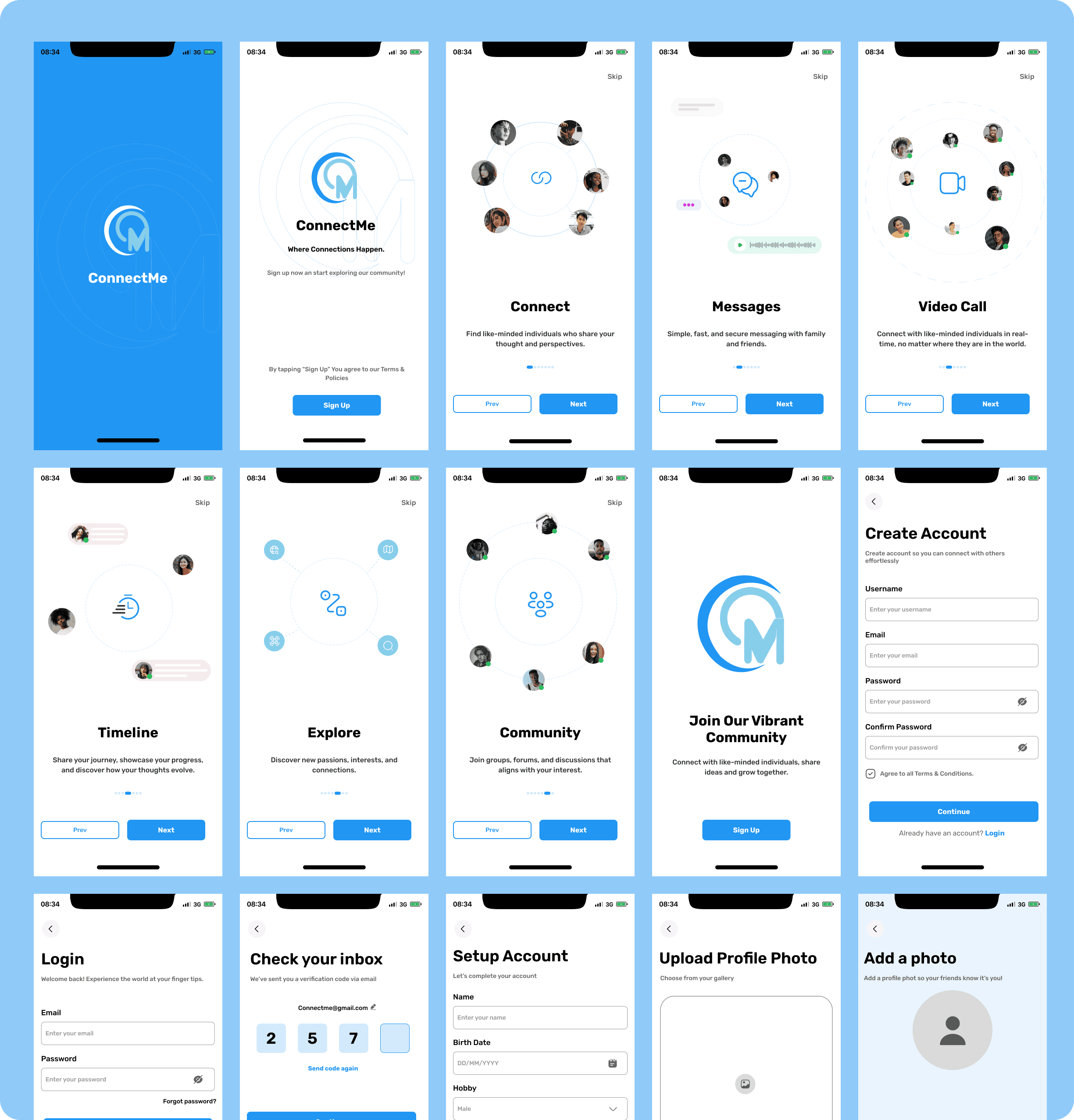
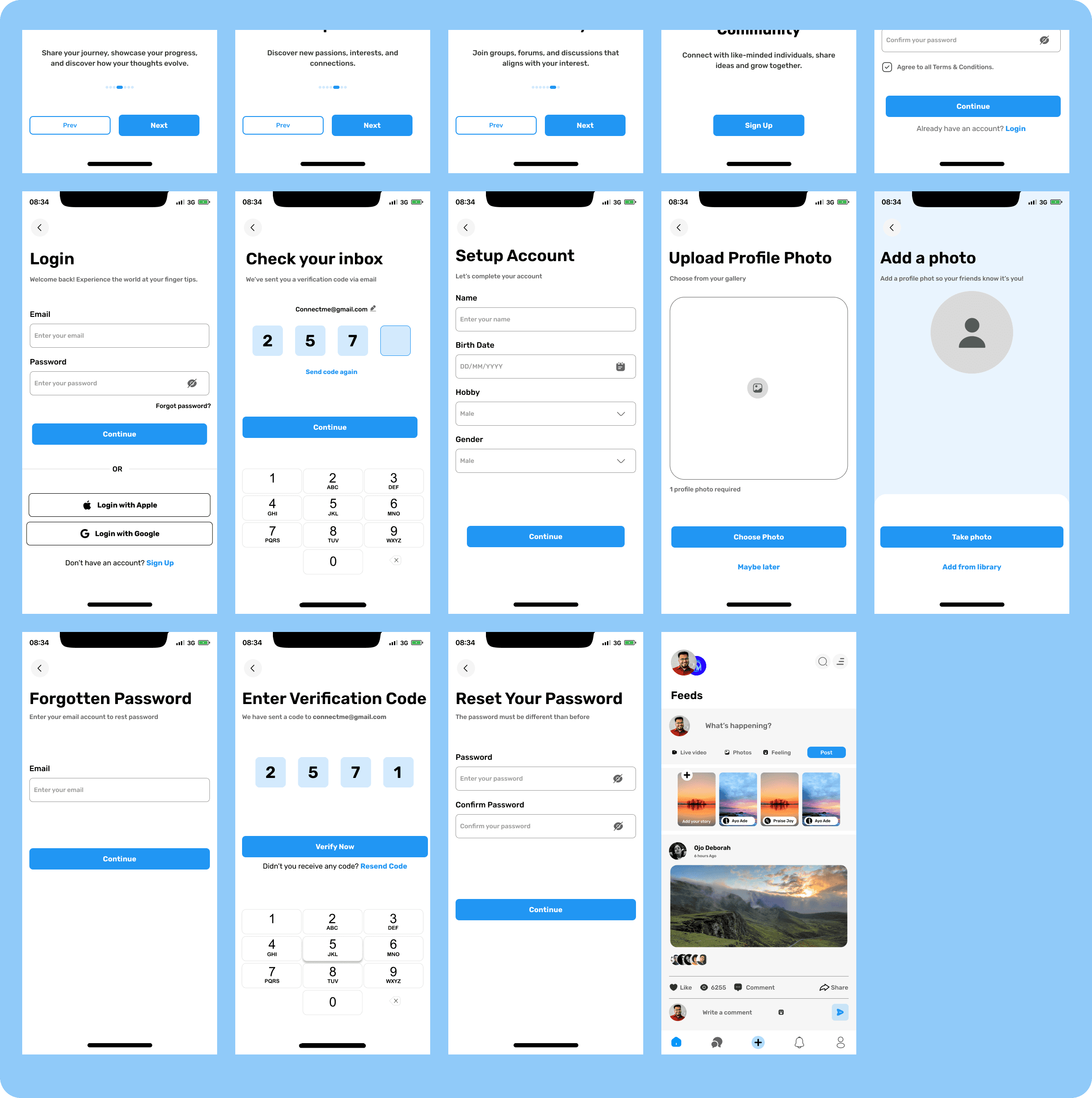
Connect Me is a social media platform focused on fostering meaningful connections and user engagement. I designed and prototyped the login section, onboarding screens, and homepage layout to ensure a seamless user journey from sign-up to interaction. The design emphasizes simplicity, responsiveness, and ease of use across devices, with engaging visuals to enhance user onboarding.
Timeline
Timeline
Duration: 3 weeks
Week 1: Research and Planning
Week 2: Wireframing and Initial Prototypes
Week 3: Final Design and Testing
Background
Social media apps often lose users during the onboarding process due to unclear navigation, complex sign-up processes, or lack of responsiveness across devices. Connect Me aims to differentiate itself by providing a smooth and visually engaging login and onboarding experience that encourages users to explore the platform and connect with others.
My task was to design a responsive login section, an intuitive onboarding flow, and a homepage layout that would set the tone for the platform's friendly and modern brand.
Problems Identified
Complex Login Processes: Traditional login flows are often lengthy, leading to user drop-offs.
Onboarding Frustrations: Confusing onboarding screens can discourage users from fully exploring an app.
Responsiveness Issues: Inconsistent layouts across devices can hinder accessibility and usability.
Engagement Gap: Onboarding lacks the visual appeal to captivate users and guide them effectively.
Process
Research & Planning
User Research: Analyzed competitors such as Instagram, Facebook, and LinkedIn to identify strengths and weaknesses in their login and onboarding flows.
Key Findings:
Simplicity and speed were critical for login success.
Interactive onboarding increased user retention.
Users valued responsive layouts for flexibility across devices.
Persona Development: Developed two personas:
"Mia the Newcomer": A casual user new to the platform.
"James the Power User": A tech-savvy user who values speed and efficiency.
Wireframing and Information Architecture
Created low-fidelity wireframes for the login page, onboarding screens, and the homepage.
Designed the information architecture to ensure logical navigation between the login, onboarding, and homepage.
Design and Prototyping
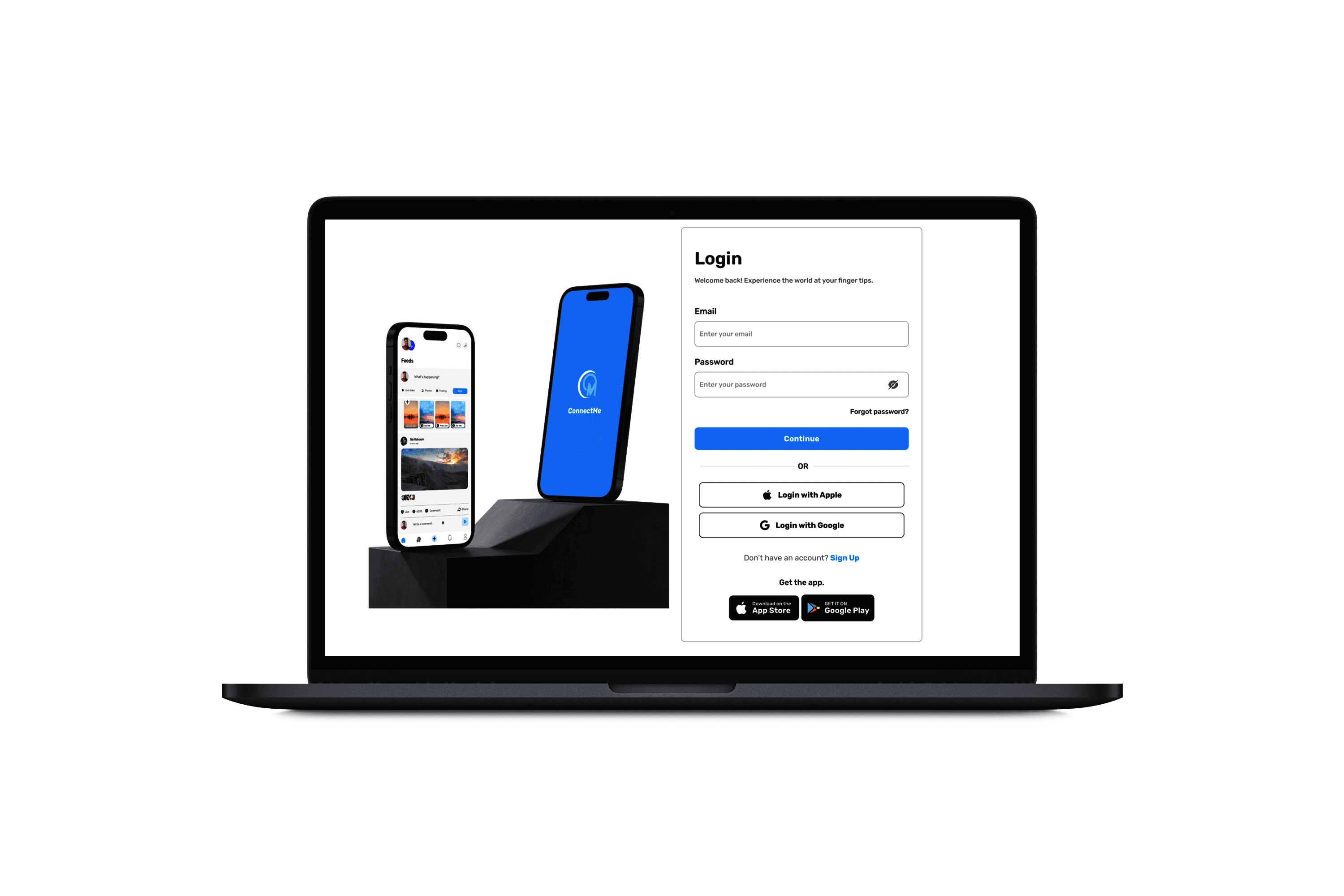
Login Page:
Included options for email login, social sign-ins, and a "Forgot Password?" link.
Designed a clean, modern interface with bold call-to-action buttons for clarity.
Onboarding Screens:
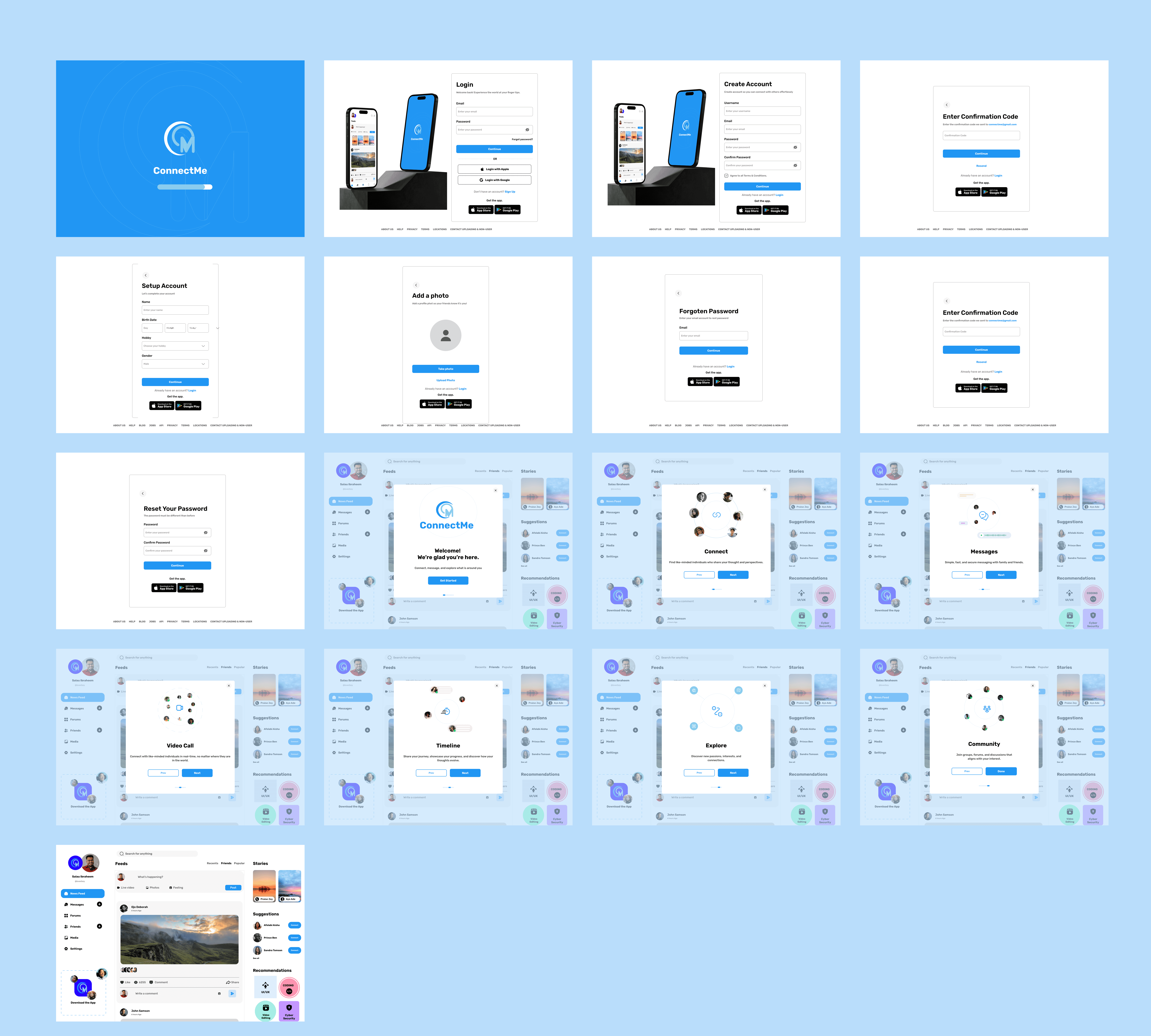
Integrated a three-step process:
Step 1: Welcome screen with a brief overview of app benefits.
Step 2: Personalization options, such as profile interests.
Step 3: Guided navigation of key app features.
Used smooth animations for transitions to maintain engagement.
Home Page:
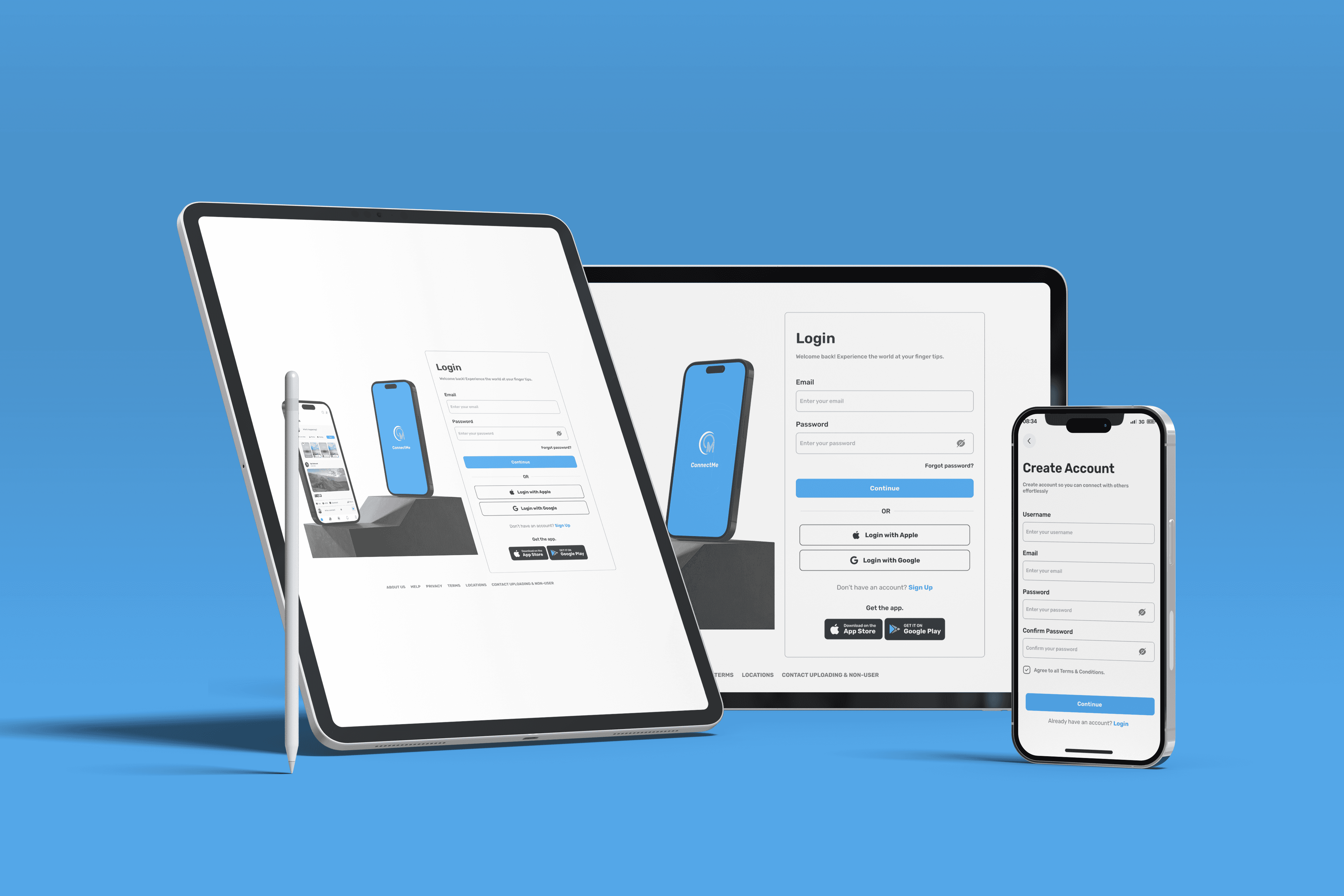
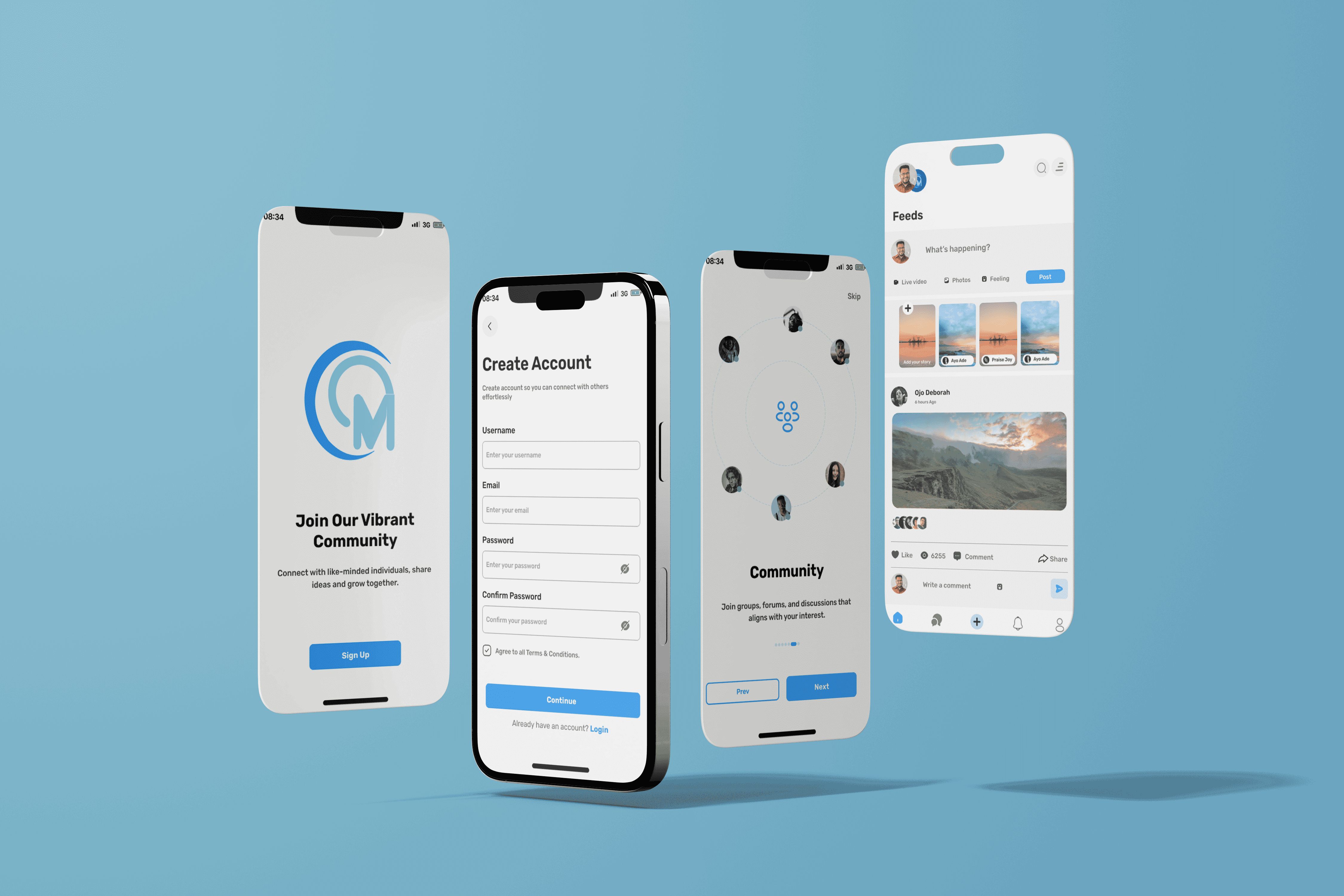
Designed a responsive layout with a dynamic feed, notifications, and navigation bar.
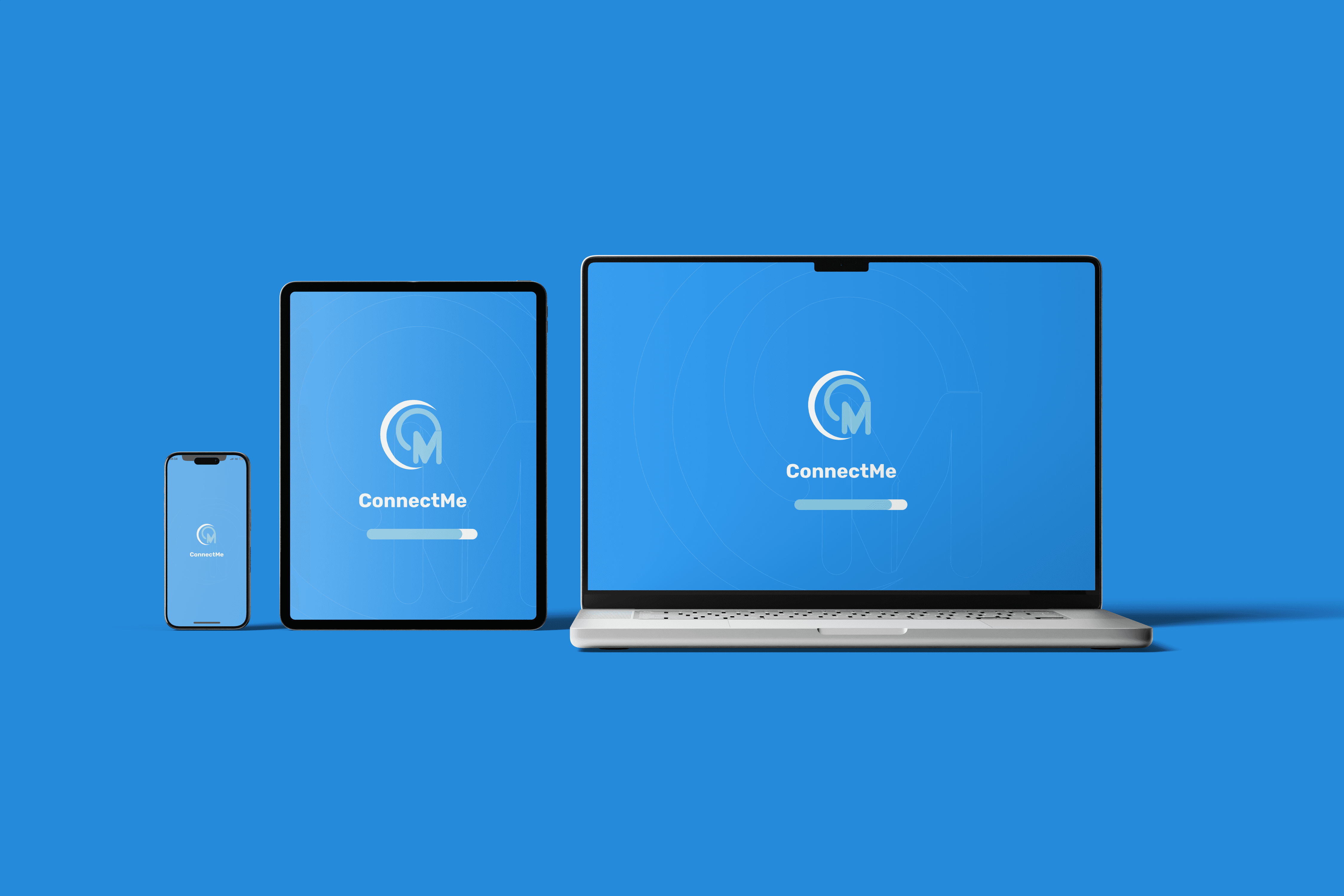
Ensured accessibility through intuitive menu icons and responsive design for mobile, tablet, and desktop views.
Solutions and Descriptions
The resulting AI-powered scheduling app offers a seamless user experience, allowing individuals and businesses to effortlessly manage their schedules.
Simplified Login Process
Designed a login section with multiple sign-in options, catering to diverse user preferences.
Included intuitive error prompts for invalid credentials.
Engaging Onboarding Flow
Used visually captivating animations and concise text to keep users informed and entertained during onboarding.
Focused on guiding users through app features without overwhelming them.
Responsive Design
Ensured a consistent experience across all devices through responsive layouts and scalable visuals.
Optimized font sizes, button placements, and spacing for mobile and desktop screens.
Enhanced User Accessibility
Added visual cues and labels to assist new users in navigating the platform.
Provided immediate options for help and support during login and onboarding.
Results
Improved Onboarding Completion Rate
85% of test users completed the onboarding flow, a significant improvement over typical industry rates.
Positive User Feedback
Users praised the clean design and smooth navigation between login, onboarding, and homepage.
Device Compatibility Success
The responsive design received high marks for maintaining usability and aesthetics across various screen sizes.
Increased User Engagement
Early testing suggested higher engagement on the homepage due to the intuitive layout and accessibility.
Challenges
Animation Load Time: Ensuring smooth transitions without compromising app performance required fine-tuning animation durations and file sizes.
Clarity in Onboarding: Striking a balance between providing necessary information and keeping onboarding concise was challenging.
Testing Across Devices: Testing the design across multiple devices to guarantee responsiveness demanded additional iterations and refinements.